FACEIT match stats: how to see your scoreboard and share it as an image
How to find any FACEIT match's scoreboard, what clutches, entries and utility stats mean, and how to turn your game into an image with levels, MVP and SVP.
Free · Chrome, Opera, GX, Edge, Brave
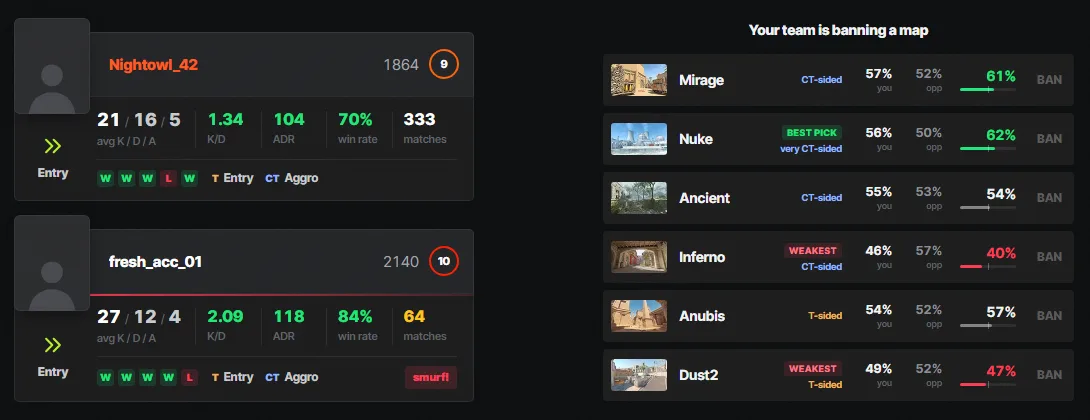
You just dropped 32 on Nuke and you want proof. Or you lost 13-7 and you want to know why. Either way, here’s how to find the stats for a FACEIT match, what they mean, and how to share them.
How to see your FACEIT match stats
- Open your FACEIT profile.
- Go to your match history for CS2.
- Click the match you want. This opens its match room.
- Open the scoreboard. It lists all 10 players with their stats.
You can do the same on anyone else’s profile, so you can look up a match your friend played. To look up a player’s overall numbers instead of a single game, use our stats checker guide.
Scoreboards can take a little while to appear right after a match, because FACEIT has to process the result first. If it’s empty, wait a minute and reload.
What the scoreboard stats mean
The basics are K/D, K/R, ADR and HS%, which FACEIT stats explained covers in detail. These are the stats people skip, and they often explain a win better than kills do.
- Opening duels (entries). The first fight of a round. Winning it gives your team a 5v4, so a player who wins 5 of 6 has been setting up rounds all game.
- Clutches. Rounds where you were the last player alive against one or two enemies, and whether you won them. One clutch at 12-12 can decide a match.
- Multi-kills. Rounds with three, four or five kills. A 3K usually wins the round by itself.
- Utility damage. Damage from grenades. Over 100 in a match means your nades were landing.
- Enemies flashed. How many opponents you blinded. It’s a good measure of support play that never shows up in K/D.
- Sniper kills. Kills with the AWP or the Scout. A low count means the AWP wasn’t deciding rounds, even if someone was holding it.
Who was the real MVP?
FACEIT doesn’t give you one combined number, so people argue. The top fragger isn’t always the best player. A 25-20 with low damage may have helped less than a 19-15 with 110 ADR and three opening kills.
A performance rating settles it by putting kills, deaths, assists and damage into one score. 1.00 is about average. Read what a good rating is in CS2 for the details.
How to share your match as an image
A screenshot of a scoreboard is hard to read in Discord, and it doesn’t show what made the game good. Prefire is a free browser extension that turns your match into a clean image:
- Install Prefire and open a FACEIT match you played.
- When the match ends, a Share your match prompt appears. You can also press the green Share your match button on your team bar any time later.
- Press Copy image and paste it into Discord, X, Reddit or your team chat. You can also use Download PNG.
The image includes:
- The score, your ELO change and how far you are from the next level.
- Every player’s FACEIT level, K-D, HS%, ADR and rating.
- A gold star for the match MVP and a silver star for the SVP, based on the highest and second-highest ratings in the lobby.
- Your best stats from the game, like clutches won, opening duels, your share of the team’s kills and total damage.
- Personal bests, such as your most kills or highest ADR in your last 40 matches, and a “best in the lobby” tag when nobody else matched you.
If you win a match where you had a low chance, it says that too. Here’s how win chance is worked out.
Use your stats to improve
A single scoreboard is a snapshot, but it can still show you something useful. After a loss, ask yourself:
- Did we lose the opening duels? If your team’s entries were mostly lost, you were playing 4v5 most rounds.
- Who had the low ADR? If it’s you and you weren’t the support, you may have been too passive.
- Did anyone use utility? Low flash and utility numbers across the team often go with a messy T side.
- Was it the map? One bad result on a map is noise, but a run of them is something to fix in the veto.
If losses are starting to stack up, read how to stop tilting on FACEIT before you queue again.