How to find someone's FACEIT account from their Steam profile
Find any player's FACEIT account and stats from a Steam profile link or SteamID64 in seconds, and see their ELO, level, ban history and Leetify ratings.
Free · Chrome, Opera, GX, Edge, Brave
You met someone in Premier, a friend of a friend, or a suspicious teammate, and you want their FACEIT account. FACEIT’s own search only takes nicknames, but every FACEIT account is linked to exactly one Steam account. So the Steam profile is all you need.
The fast way: paste the Steam link
- Open their Steam profile and copy the URL. Either format works:
https://steamcommunity.com/profiles/76561198…https://steamcommunity.com/id/theirname
- Go to prefire.win/players and paste it into the search box.
- Press Look up. You land on their FACEIT stats page.
You can also paste a bare SteamID64 (the 17-digit number starting with 7656119) or a FACEIT profile link.
If the Steam account has no FACEIT account linked, you’ll see that too, which is useful in itself. The player simply doesn’t play FACEIT on that account.
What you see on their page
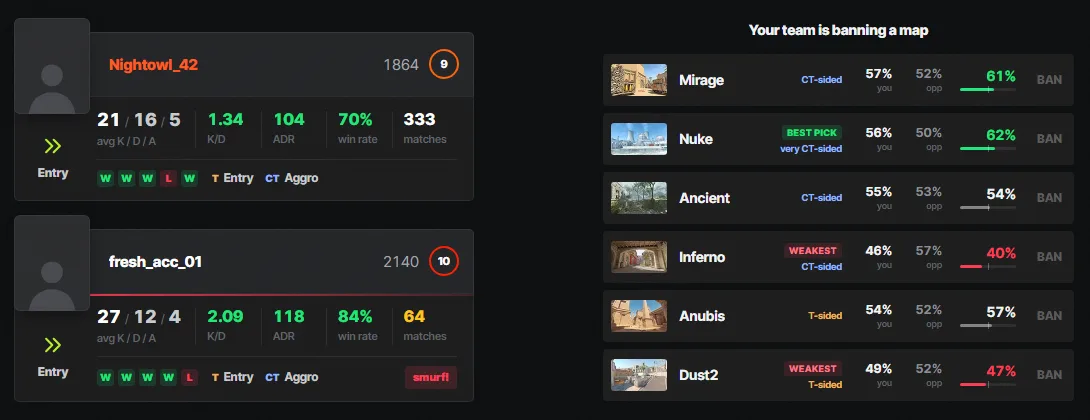
- ELO, level and ELO history for their last 100 matches, plus an estimate of matches until the next level
- K/D, ADR, win rate and headshots, lifetime and the last 20 matches
- Roles on T and CT side, best and worst maps, and their best time of day to play
- Smurf check and account check: Steam account age, VAC and game bans, FACEIT bans, and whether the Steam account is newer than the FACEIT one, which is a common sign of an alt
- Leetify ratings when they’re public: Premier rating, aim, positioning, utility, reaction time and opening duels by side
- Inventory value, service medals and Major coins
Finding a SteamID64 yourself
If you only have a custom URL like /id/theirname, our search resolves it automatically. To find the number yourself:
- Open the profile in the Steam client.
- Right-click the page and choose Copy Page URL.
- If it’s a custom URL, sites like steamid.io convert it to the 17-digit SteamID64.
Do it for the whole match room automatically
Looking players up one by one is fine for one person. In a match, use Prefire: it shows stats, roles, smurf flags and win chance for all ten players right in the FACEIT match room before the veto starts.